

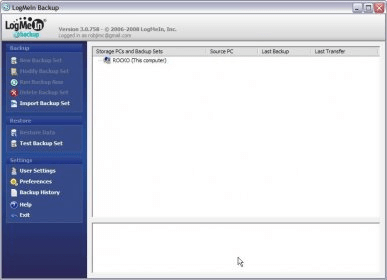
LogMeIn is a program that allows you to backup files remotely via internet. You can create a backup networking that will allow you to backup files from another computer. To create a new backup open the LogMeIn main window and click in "New Backup Set" button and the Backup Wizard window will ask you to select the files and folders to backup (you will be able to show system or hidden files and folders). After selecting the files to backup you will be asked to set the backup name, storage PC, versions, and encryption backup (you can open advanced backup setting options to modify file compression, block size, check versions options, allow backup to complete with errors, and create a new version backup if file attributes are changed. You can make backups in the same computer where the information is stored but you will be warned to make the backup in a different computer to avoid data loss. You can also schedule backups daily, weekly, monthly or set it manually, test backup settings, modify user settings, change preferences (history settings, startup, updates, proxy, bandwidth, access rights, and notifications), check backup history, and open help. Instructions: When downloading the file you have to write down your email, password, and you will be asked if you wish to be informed about system upgrades, receive news about LogMeIn and receive offers from LogMeIn partners by email. After downloading the installation file you will be asked if it is the computer you want to access remotely? If yes, click Add Computer and this will download the LogMeIn software. After installation, the computer will be listed on your My Computers page and it will be accessible via www.LogMeIn.com. An email will be sent and you will need to activate your account and confirm your email address. The price described is the subscription per year.






Comments